
Security Configuration Guide
Advanced Protection for Your Tunnels
Learn how to configure global block policies, route filtering, and IP restrictions to secure your exposed services.
Table of Contents
1. Block Policy
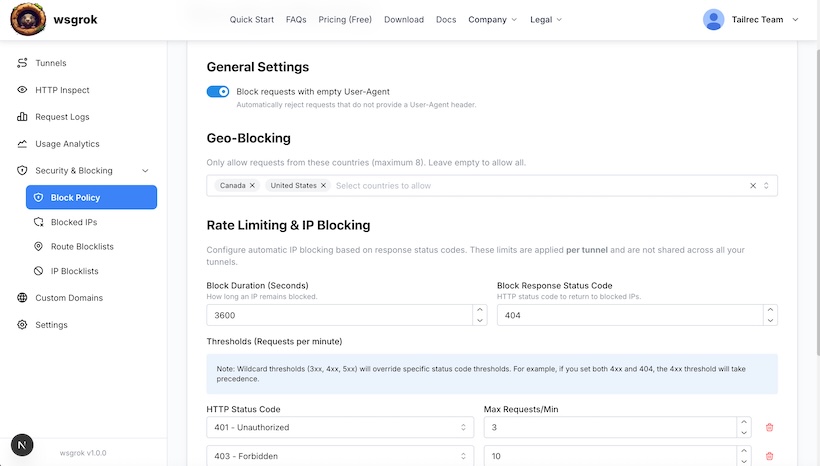
The Block Policy defines global security rules that apply to your entire tunnel. Think of it as a "WAF-Lite" (Web Application Firewall) that handles automated threats before they reach your application.
Key Features
Bot Protection (Empty User-Agent)
Automatically block requests that have no User-Agent header. This effectively stops many basic bots, scrapers, and automated scripts that neglect to identify themselves.
Geo-Blocking (Country Allowlist)
Restrict access to specific countries using ISO country codes (e.g., US, CA, GB). If configured, any request originating from a country not in the list will be rejected immediately.
Smart Rate Limiting (Error Thresholds)
Protect against brute-force attacks and probing by blocking IPs that generate too many errors. You can configure:
- Trigger: HTTP status codes (e.g., "404" for scanning, "401" for brute force).
- Threshold: Max allowed occurrences per minute.
- Penalty: How long to ban the IP (in seconds).
2. Route Blocklists
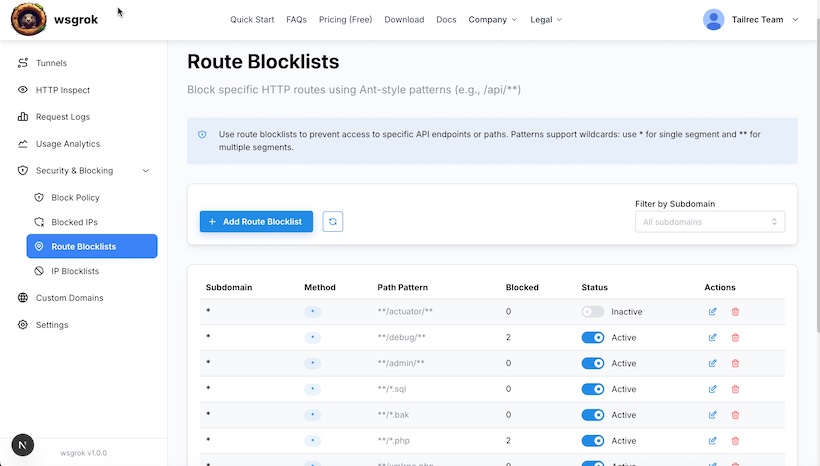
Route Blocklists allow you to create granular access control rules based on the request path and HTTP method. This is essential for protecting sensitive endpoints that shouldn't be publicly accessible.
Configuration Logic
Path Matching (Ant-Style)
wsgrok uses Ant-style glob patterns for flexible path matching:
/admin/*matches files directly in admin (e.g., /admin/index.html)/api/**matches everything under api recursively (e.g., /api/v1/users)*.envmatches file extensions anywhere
Method Filtering
You can apply rules to specific HTTP methods (e.g., block DELETE on all paths) or all methods.
Example Configuration
# Block sensitive environment files
Path: /**/.env
Method: ALL

# Block access to admin panel
Path: /admin/**
Method: ALL

# Prevent deletion of resources
Path: /api/**
Method: DELETE
3. IP Blocklists
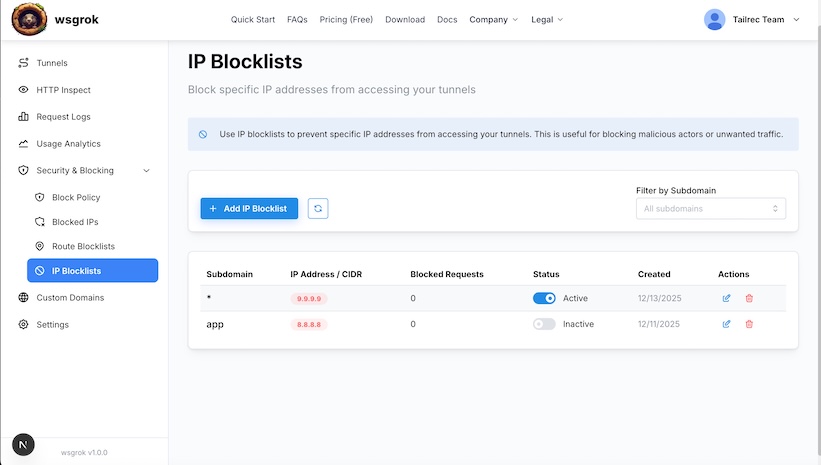
IP Blocklists provide a mechanism to explicitly deny access to known malicious actors or specific network ranges. This filtering occurs at the edge, ensuring unwanted traffic never reaches your local machine.
Blocking Capabilities
- Single IP Blocking: Target specific offenders.
192.168.1.50 - Subnet Blocking (CIDR): Block entire ranges of IP addresses. Useful for blocking corporate networks or specific ISPs.
10.0.0.0/24(Blocks 10.0.0.0 to 10.0.0.255)
Interaction with Block Policy
IP Blocklists work alongside the Block Policy. Even if a country is allowed in the Block Policy, specific IPs from that country can still be blocked here.
Summary
wsgrok provides a layered security approach. By combining Block Policies (global rules), Route Blocklists (path protection), and IP Blocklists (source blocking), you can confidently expose your local services to the internet while minimizing risk.
Need more help?
Check the Quick Guide